
SCROLLACCESS COOKIE CONSENT
Give visitors a clear choice about cookies.
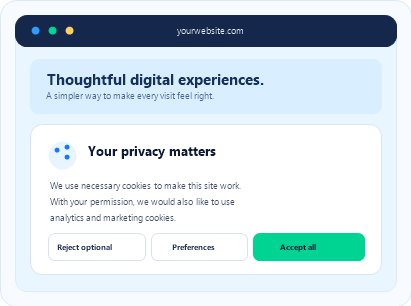
How it works
Set it up in a few steps
Open Websites
Sign in to your ScrollAccess dashboard and open Websites.
Enable Cookie Consent
Select your website and open Cookie consent. Enable the feature for that website.
Configure Settings
Set your banner text, appearance, placement, cookie categories, and visitor preference controls.
Review & Save
Preview your banner, review the settings, and save your configuration.
Apply in Webflow
Choose Apply cookie banner through Webflow to install the app-managed code using Webflow Custom Code.
Publish & Test
Publish your website in Webflow. Open the live site in a private browser window and test the banner, visitor choices, and preference controls.
What You Can Configure
Banner Text
Appearance & Placement
Cookie Categories
Visitor Choices
Preference Controls
Policy Links & Consent Records
Optional Cookie Discovery
Discover cookie names and script hostnames after the visitor grants Analytics consent. Cookie values are not collected through this discovery feature.
REMEMBER
ScrollAccess provides the tools. You decide which cookies and scripts to use, obtain the necessary consent, and ensure your setup meets legal requirements.