
Write alt text that says what matters.
Alternative text helps screen reader users understand the purpose of meaningful images. ScrollAccess AI uses the image and available finding context to suggest a draft you can review, refine, or copy. A useful draft is a starting point. You decide what the image communicates and whether the wording fits this page.
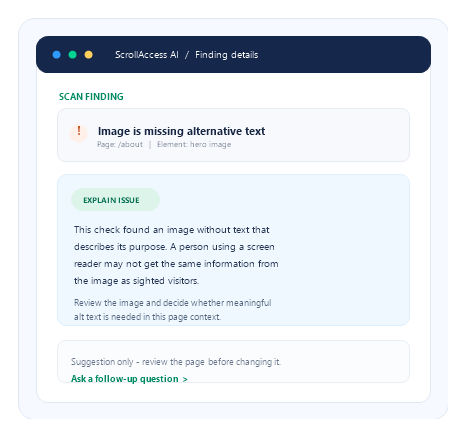
What the feature offers
01
Image-specific
A draft for the image in the finding.
02
Context-aware
Informed by page details available.
03
Editable text
Refine or copy the wording as needed.
04
Human review first
Human-reviewed
Create a draft, then make it yours
Generate a concise description, compare it with the image and its role, then refine or copy.
01
Generate
Ask for a concise draft for the selected image.
02
Review
Compare the wording with the image and page context.
03
copy
Edit the text, or copy it to use elsewhere.
04
Confirm
Review and confirm a supported Designer change.
05
Rescan
Check the result in context and rescan where relevant.
Frequently asked questions
Get answers about ScrollAccess, website accessibility scanning, AI powered guidance, accessibility tools, WCAG insights, and supported platforms.
It generates a draft text alternative for an image based on the information available to ScrollAccess, such as the image and related finding context.
No. Review and edit the draft first. Where a supported Designer update is offered, you must confirm it. Publishing remains a separate action in Webflow.
No. AI may misinterpret an image or lack the context needed to describe its purpose. Check the image, surrounding content, and intended function before using a suggestion.
No. Images that are purely decorative and add no information may need empty alt text so assistive technology can skip them. Meaningful images generally need text that communicates their relevant purpose or content.
Usually not. Consider what information the image adds beyond the surrounding content, and keep the alternative concise and useful.
It may suggest text based on available information, but you should decide whether the image is meaningful or decorative in its page context.
No. Alt text is one part of accessibility. Other content, structure, contrast, keyboard, screen-reader, and interaction checks may still be needed.
Review the image in context, publish your site through Webflow when ready, and rescan where applicable. Manually verify the result with assistive technology when appropriate.
No matching FAQs found.