
Find issues. Know where to look next.
ScrollAccess scans supported website content for potential accessibility issues, then organizes results for your review. See what was detected, where it appears, and which areas may need attention.
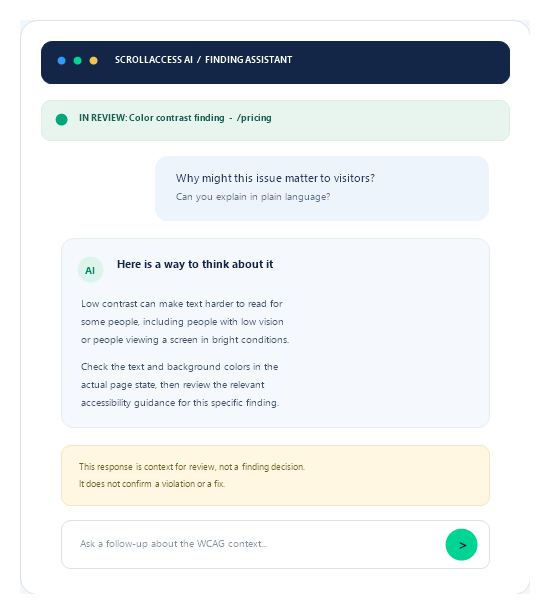
Severity helps organize your review.
It cannot choose your priorities for you.
Consider the affected content, how visitors use the page, and likely impact.
01
Locate the issue
Inspect the affected element and surrounding content.
02
Consider the impact
Think about people and tasks affected by barriers.
03
Choose next steps
Make a suitable change, publish, then scan again.
Scan results reflect the checks performed at that time.
Automation finds patterns. People test experiences.
Some important questions need rendered-page or manual testing.
Automated checks may miss
- Keyboard operation and focus visibility
- Screen-reader output and dynamic behavior
- Contrast and complete visitor journeys
No findings is not proof of accessibility.
Use findings as review prompts
- Verify affected elements in context
- Use guidance and your judgment
- Add manual testing where needed
Scores are not compliance guarantees.
Frequently asked questions
Get answers about ScrollAccess, website accessibility scanning, AI powered guidance, accessibility tools, WCAG insights, and supported platforms.
ScrollAccess scans supported website content and elements for selected accessibility patterns. The available checks depend on the scanning workflow and the information accessible to the scanner.
No. It checks supported patterns related to selected criteria. Many accessibility requirements need human judgment, manual testing, or evaluation of rendered and interactive behavior.
Not necessarily. A finding identifies a potential issue for review. Check the affected content and page context to determine whether it applies.
Severity labels help organize findings by their estimated priority. They are guidance for triage, not a definitive measure of user impact or legal risk. Use your judgment and consider the context of each issue.
The scanner’s access is limited to the content available through its supported workflow. Login-protected content, dynamic states, and interaction sequences may require separate manual testing.
No. A score summarizes the checks performed; it is not an accessibility certification, legal compliance guarantee, or substitute for manual testing.
Review each finding, inspect the affected element, and decide on an appropriate change. Publish updates through Webflow and scan again where applicable. Manually test interactions and assistive technology behavior as needed.
Scanning reports findings; it does not automatically change or publish your site. Supported Designer changes, when available, require review and confirmation.
AI may provide optional explanations and recommendations. Review suggestions carefully. Any supported change requires your confirmation, and AI guidance does not guarantee a fix.
The scanner checks only supported patterns and may not have access to all page states, content, or rendered behavior. Manual testing can reveal issues that automated checks cannot detect.
Scan after meaningful content or design updates and after addressing findings. Regular reviews can help you notice new issues, but scans should be combined with manual checks.
No. ScrollAccess provides automated findings and review guidance, not legal advice, accessibility certification, or a guarantee of compliance.
No matching FAQs found.