
Understand accessibility issues with clear explanations
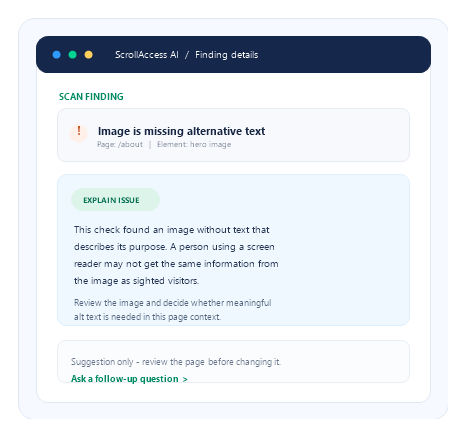
Make findings easier to understand
Understand the finding
concerns.
See who may be affected
Explore why it matters
Decide what to review next
Learn as you work
AI can help explain a finding. You stay in control.
Check the page context
Review the page element and surrounding content before deciding what to change.
Verify any proposed change
Make sure any suggested fix fits your design, content, and accessibility needs.
Some checks need manual review
Some issues require human judgment, interaction testing, or assistive technology review.
Frequently asked questions
It uses AI to describe a selected accessibility finding in plain language, explain why it may matter, and offer context for what to review next.
It uses the finding details available in ScrollAccess and any text you enter in your prompt. Review the in-app privacy notice and ScrollAccess Privacy Policy for details about transmitted information, retention, and AI processing.
No. It is guidance to help you understand a scan result. Review the affected element and page context before deciding whether the finding applies.
An explanation itself does not change your site. Where ScrollAccess offers a supported Designer change, review the proposed change and confirm it before applying it.
No. AI can miss context or provide incomplete or incorrect guidance. Check explanations against your content, the affected element, and relevant accessibility guidance.
No. You need to make and verify any appropriate change, then scan again where applicable. Some accessibility checks also require manual testing.
No. Automated checks and AI guidance cover supported information only. Keyboard operation, screen-reader behavior, dynamic interactions, and complete user journeys may require manual review.
AI access and usage allowances depend on your ScrollAccess plan. Check the Pricing page for current plan details.
No matching FAQs found.