
Get guidance that relates to the finding
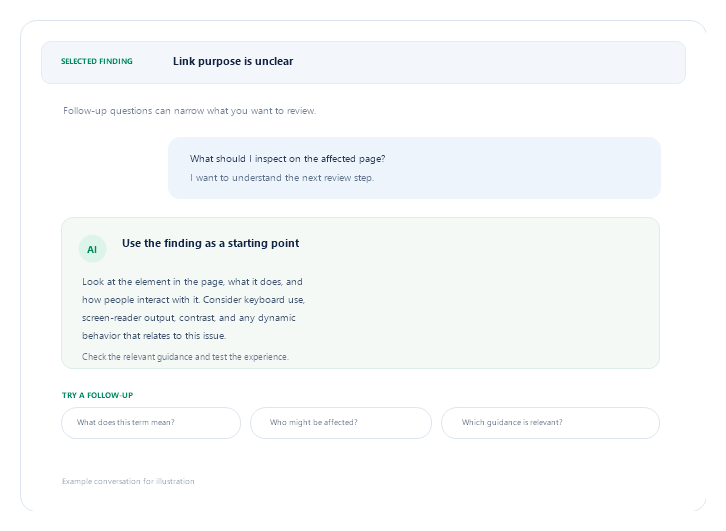
When an accessibility issue is unclear, use ScrollAccess AI to ask questions about the finding and its relevant accessibility context. The assistant can explain related concepts and help you explore what to review next, using the issue details and information you provide.
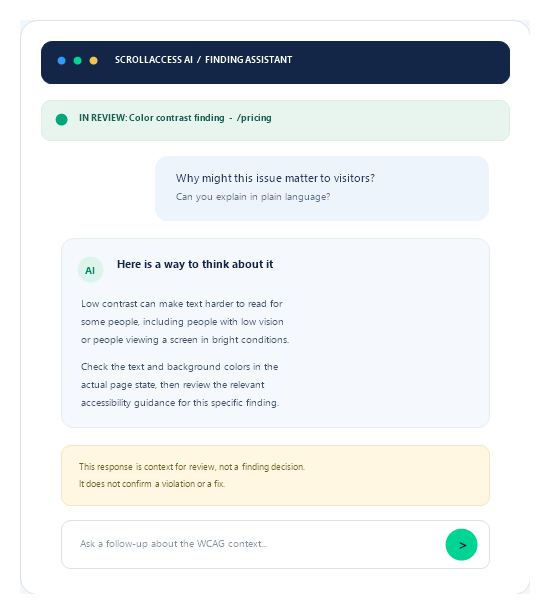
- Ask about the finding
- Explore a concept
- Clarify the answer
- Decide what to review
- Test
01
Selected finding
Ask about the issue you opened.
02
Related concepts
Clarify terms and principles.
03
Potential impact
Explore who may be affected.
04
Relevant WCAG context
Ask what guidance to review.
05
Follow-up questions
Clarify a previous response.
Helpful context. Human review.
AI answers may be incomplete, inaccurate, or missing details about your site.
What an answer can do
Explain and point you toward review.
- Clarify terminology and concepts.
- Explore possible user impact.
- Suggest relevant guidance to check.
- Help shape a useful follow-up.
It does not decide whether a violation exists.
What still needs your review
Automated checks cover supported patterns only.
- Keyboard operation
- Screen-reader behavior
- Contrast in page context
- Dynamic interactions and full journeys
Manual testing may be needed.
After the answer
Turn context into a careful next step
01
Inspect
Review the affected content and check the relevant standard.
02
Test
Try the experience with suitable manual and assistive-tech checks.
03
Apply and rescan
Make appropriate updates, publish when ready, then rescan if relevant.
Guidance supports your review; it is not an audit, certification, or compliance guarantee.
Frequently asked questions
Get answers about ScrollAccess, website accessibility scanning, AI powered guidance, accessibility tools, WCAG insights, and supported platforms.
It is AI assistance that helps explain accessibility concepts and findings in the context of the issue you are reviewing.
You can ask about the selected finding, related accessibility concepts, potential user impact, or relevant WCAG guidance. The assistant can also clarify its previous response.
No. It provides general guidance to support your review. It does not replace qualified accessibility assessment, manual testing, or legal advice.
No. An AI response is not an audit, certification, or compliance guarantee. Review the site and test it using appropriate methods.
No. AI responses can be incomplete or incorrect. Verify important information against the affected page, relevant standards, and your site’s context.
The assistant uses the issue context available in ScrollAccess and the text you enter. Review the in-app privacy notice and ScrollAccess Privacy Policy for details about transmission, retention, and AI processing.
It may discuss issues you describe, but it does not independently verify every rendered-page interaction. Keyboard use, screen-reader output, dynamic content, and full user journeys may require manual testing.
Use it to investigate the finding, decide whether a change is appropriate, and verify any update in context. Publish through Webflow when ready and rescan where applicable.
No matching FAQs found.