


Table of Contents
Website accessibility is essential for creating inclusive digital experiences. Businesses need accessibility solutions that help users with disabilities navigate websites more easily while supporting accessibility best practices.
Several tools offer website accessibility features, including ScrollAccess vs accessiBe vs UserWay and AudioEye. Each platform provides different features, approaches, and solutions for improving website accessibility.
In this guide, we compare these four platforms to help website owners understand their differences and choose a suitable accessibility solution.
1. What Is ScrollAccess?
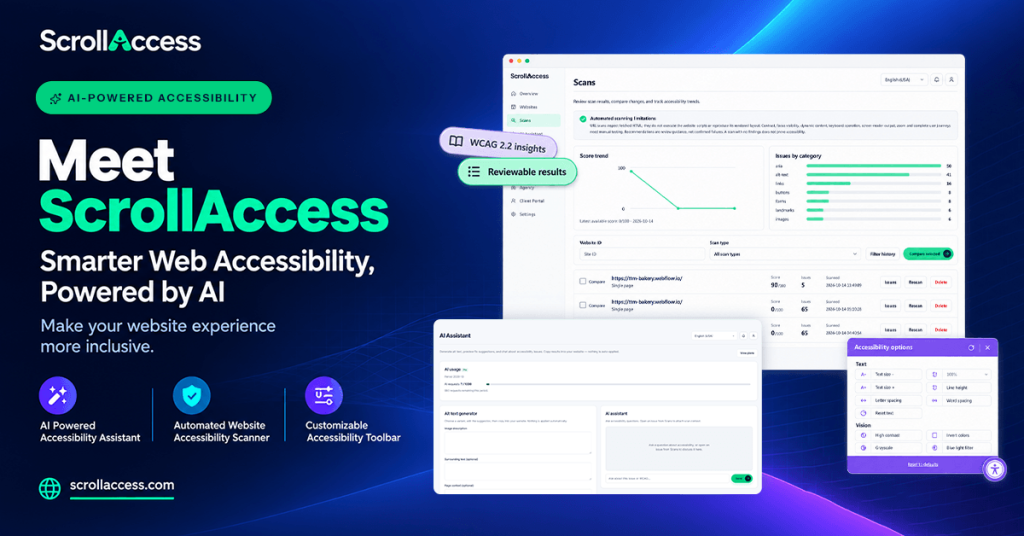
Discover ScrollAccess features that help improve website accessibility through smarter scanning and AI guidance.
ScrollAccess helps website owners improve website usability and accessibility through accessibility-focused tools.
Its solution focuses on helping visitors customize their browsing experience and helping website owners identify and manage accessibility concerns.
Key areas to discuss:
- Website accessibility toolbar
- AI-powered accessibility assistance
- Accessibility scanning and issue management
- Website translation and language support
- Toolbar customization
- Accessibility support for different user needs
Website:https://scrollaccess.com/
2. What Is accessiBe?
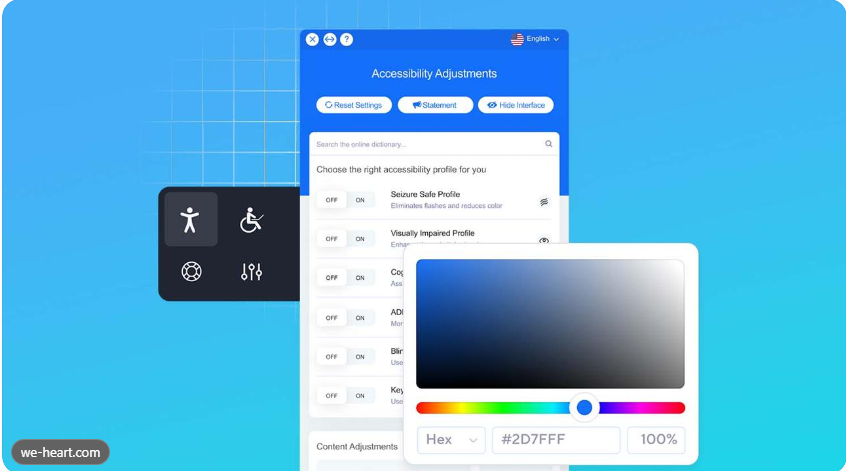
accessiBe combines an accessibility interface with AI-powered remediation technology. It offers automated accessibility adjustments, screen-reader optimization, keyboard-navigation support, and ongoing monitoring.
Key features:
- AI-powered accessibility remediation
- Accessibility interface
- Screen-reader optimization
- Keyboard navigation support
- Automated monitoring
3. What Is UserWay?
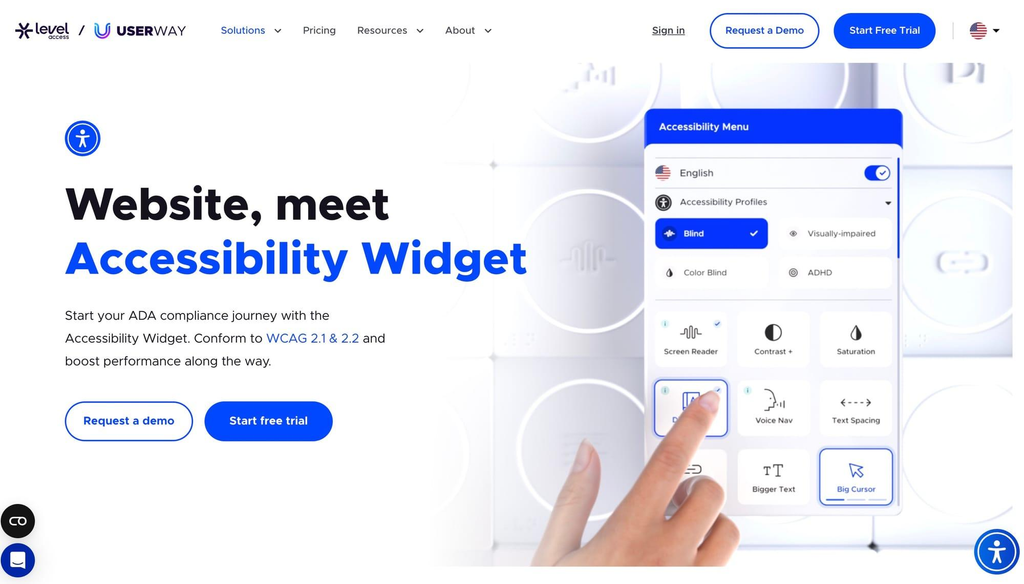
Userway provides accessibility widgets, automated remediation, monitoring, and accessibility services. Its widget includes options for contrast, text size, spacing, reading assistance, and accessibility profiles.
Key features:
- Accessibility widget
- Screen-reader functionality
- Contrast and text adjustments
- Dyslexia-friendly options
- Accessibility monitoring
4. What Is AudioEye?
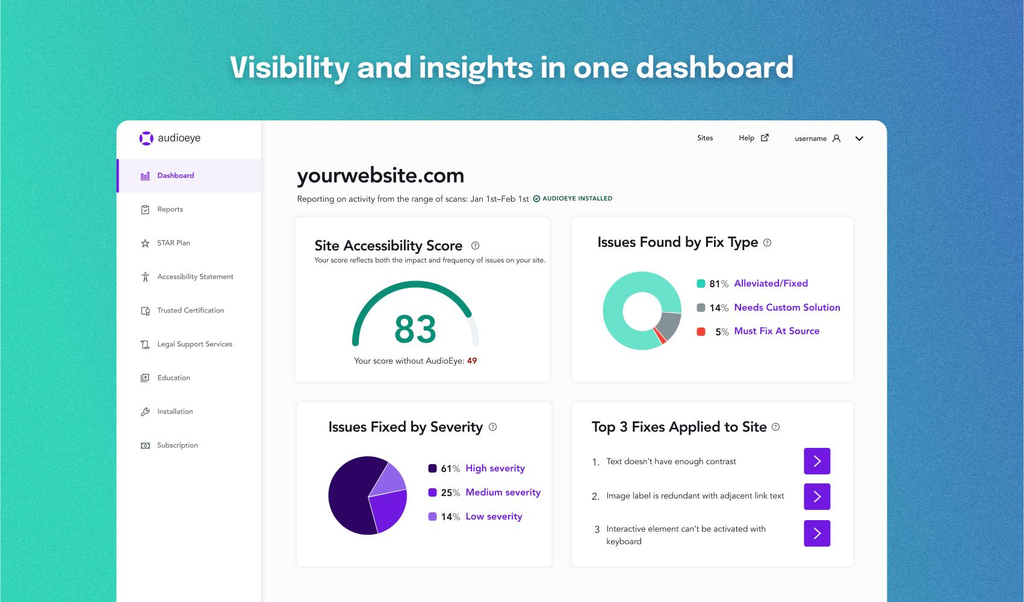
AudioEye offers automated accessibility testing and remediation alongside expert-led accessibility services.
Key areas to compare:
- Automated accessibility testing
- Accessibility monitoring
- Issue detection and remediation
- Expert accessibility support
- WCAG-focused solutions
5. What Makes These Accessibility Tools Different?
Although all four platforms focus on website accessibility, their approaches and feature sets differ.
| Comparison area | ScrollAccess | accessiBe | UserWay | AudioEye |
| Accessibility toolbar | Yes | Yes | Yes | Accessibility tools |
| AI-powered solutions | AI assistant | AI remediation | AI remediation | AI-driven automation |
| Issue scanning | Scanner | Yes | Yes | Yes |
| Issue management | Yes | Yes | Yes | Yes |
| Screen-reader support | Accessibility-focused | Yes | Yes | Yes |
| Manual expert audits | Verify plan | Available services | Available services | Yes |
| Website translation | Yes | Verify plan | Paid plan options | Verify plan |
| Monitoring | Verify plan | Ongoing scans | Plan-dependent | Continuous |
6. ScrollAccess vs accessiBe
ScrollAccess and accessiBe both aim to improve website accessibility, but their product positioning differs.
ScrollAccess focuses on accessibility tools such as its website toolbar, AI accessibility assistance, scanning, translation, and issue management.
accessiBe combines an accessibility interface with automated AI remediation and ongoing website scans.
Which should you consider?
- Choose ScrollAccess if its toolbar, scanning, translation, and issue-management features match your website requirements.
- Consider accessiBe if you need an AI-based remediation solution with ongoing scanning.
7. ScrollAccess vs UserWay
UserWay provides accessibility widgets, personalization features, and accessibility monitoring. Its widget includes text adjustments, contrast controls, reading assistance, and accessibility profiles.
UserWay Help Center+1
ScrollAccess offers a different combination of accessibility-focused features, including an AI assistant, website toolbar, translation, and issue management.
Which should you consider?
- ScrollAccess is worth evaluating for its combination of accessibility and website-management features.
- UserWay is worth evaluating for its visitor personalization options and accessibility services.
8. ScrollAccess vs AudioEye
AudioEye combines automated accessibility testing, continuous monitoring, automated fixes, and expert-led accessibility audits. It also provides custom code fixes for more complex accessibility issues.
AudioEye®+1
ScrollAccess focuses on providing website accessibility features through its toolbar, AI assistance, scanning, and issue management.
Which should you consider?
- ScrollAccess may suit website owners looking for its accessibility-focused toolkit.
- AudioEye may suit organizations looking for automated testing combined with expert accessibility services.
9. Why Is Website Accessibility Important?
Website accessibility helps make online content and services easier to use for people with different abilities.
Important benefits include:
- Better User Experience: Helps visitors navigate websites more easily.
- Inclusive Website Design: Makes digital content more accessible to different audiences.
- Improved Navigation: Supports keyboard and assistive technology users.
- Accessibility Awareness: Helps businesses identify and address website accessibility barriers.
- Better Accessibility Practices: Encourages businesses to follow WCAG guidelines and regularly test their websites.
Remember that accessibility widgets and automated tools alone cannot guarantee ADA or WCAG compliance. Manual testing and appropriate code-level improvements are also important.
10. How to Choose the Right Website Accessibility Tool
Before selecting an accessibility solution, consider these factors:
- Features: Check whether the platform provides the tools your website needs.
- Ease of Installation: Look for a solution that fits your website platform.
- Accessibility Scanning: Check how the tool identifies and reports accessibility issues.
- Customization: Consider toolbar settings and visitor personalization.
- Pricing: Compare subscription costs and available features.
- Support: Check documentation, customer support, and expert assistance.
- Testing: Combine automated scanning with manual accessibility testing.
11. Final Verdict: Which Accessibility Tool Should You Choose?
Choosing the right website accessibility tool depends on your website’s requirements, budget, and accessibility goals.
ScrollAccess, accessiBe, UserWay, and AudioEye each offer different approaches to improving website accessibility.
- ScrollAccess: Consider it for its accessibility toolbar, AI assistant, scanning, translation, and issue-management features.
- accessiBe: Consider it for AI-powered accessibility remediation and ongoing scans.
- UserWay: Consider it for accessibility widgets and visitor personalization.
- AudioEye: Consider it for automated testing, expert audits, and custom accessibility fixes.
If you are exploring website accessibility solutions, compare each platform’s features, pricing, support, and testing capabilities before making your decision.
Explore ScrollAccess
Frequently Asked Questions
Is ScrollAccess a good website accessibility tool?
ScrollAccess offers accessibility widgets, visitor customization, monitoring, and additional accessibility services.
What makes ScrollAccess different from other accessibility tools?
ScrollAccess combines automated accessibility testing with expert audits and custom fixes.
Can accessibility tools guarantee WCAG compliance?
No. Automated tools cannot identify every accessibility issue. Manual testing and code-level improvements are also necessary.
Which website accessibility tool should I choose?
Compare features, pricing, integrations, support, and accessibility testing capabilities to select the right solution for your website.