
For agencies and teams
One place for your team’s accessibility work
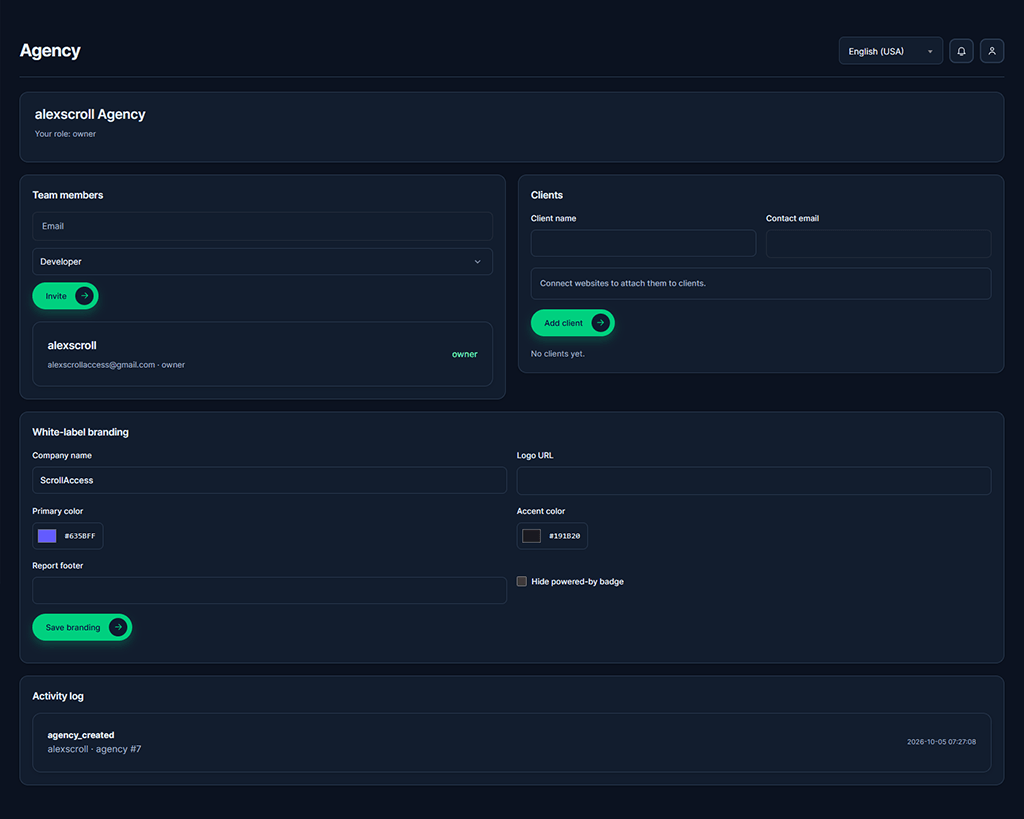
Keep clients, websites, and responsibilities connected
Client & website organization
Organize client websites to track correct records.
Team roles & access
Invite colleagues with role-based permissions.
Issue assignments & comments
Assign findings and add context for reviews.
Client portal
Give authorized clients access to assigned issues, comments, and activity.
Branded client reports
Set company name, logo, colors, and report footer on eligible plans.
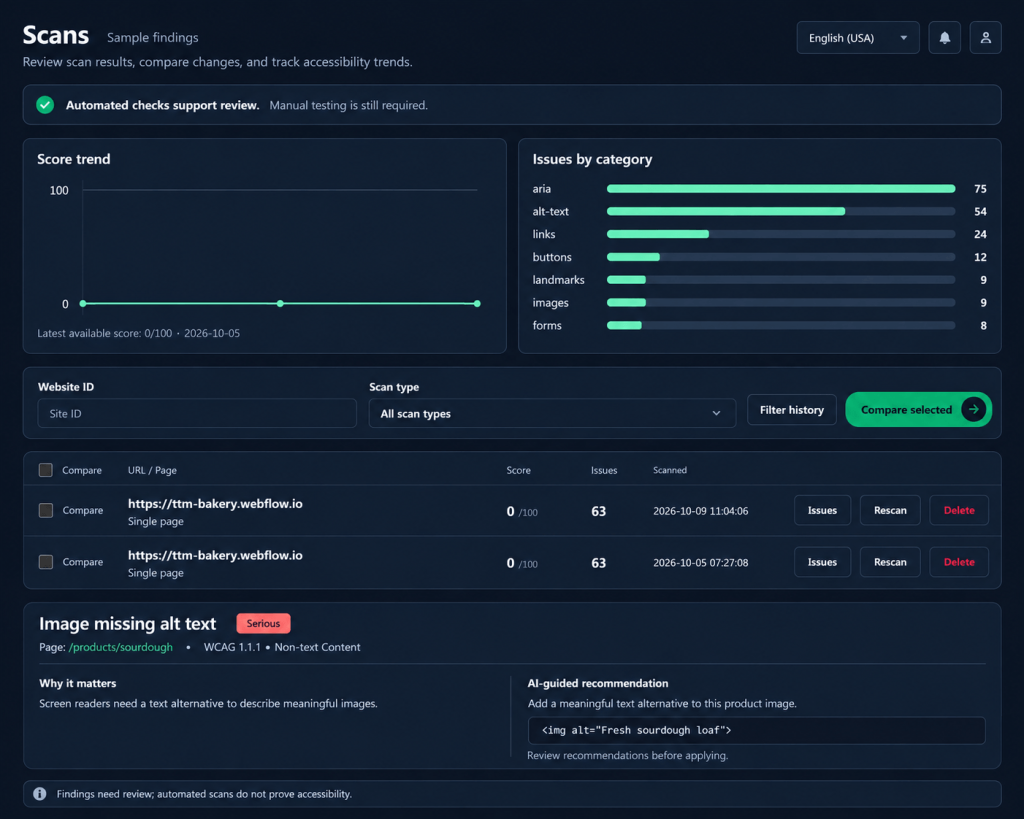
Scan history & progress
Review findings and compare scans for each website.
From client setup to shared progress
Create your agency
Invite your team
Add clients and attach websites
Assign findings and share reports
Frequently asked questions
Yes. Sign up or log in and use an eligible plan to access agency and team features inside your ScrollAccess dashboard.
Yes, within your plan’s website allowance. Create client records and attach connected websites to keep accessibility work organized by client.
ScrollAccess supports Owner, Admin, Developer, and Viewer roles, plus separate Client access. Each role has permissions that determine what users can view and manage.
Yes. Authorized team members can assign findings, add comments, and update workflow statuses. Status changes track your team’s work; verify fixes on the website and rescan.
Authorized clients can review assigned accessibility issues, participate in comments, and view relevant activity. Their access is separate from your team’s management permissions.
Yes, on eligible plans. Branding settings include your company name, logo, primary and accent colors, report footer, and an option to hide the powered-by badge.
Yes. Review website scan history, compare findings, and use reports to communicate changes and progress with clients.
No. Agency tools help organize findings and coordinate work. Review suggested changes, apply them to the website, and verify them through rescanning and manual testing.
No. Reports summarize automated findings and recorded progress. They do not establish WCAG or legal compliance and should be supported by manual accessibility testing.
No matching FAQs found.