ScrollAccess helps you find accessibility issues, get AI powered guidance, and provide a customizable accessibility toolbar for visitors across WordPress, Webflow, Shopify, Wix, custom HTML, and more.
From automated accessibility scans to visitor friendly tools, ScrollAccess brings scanning, AI powered guidance, accessibility controls, and reporting together in one platform.
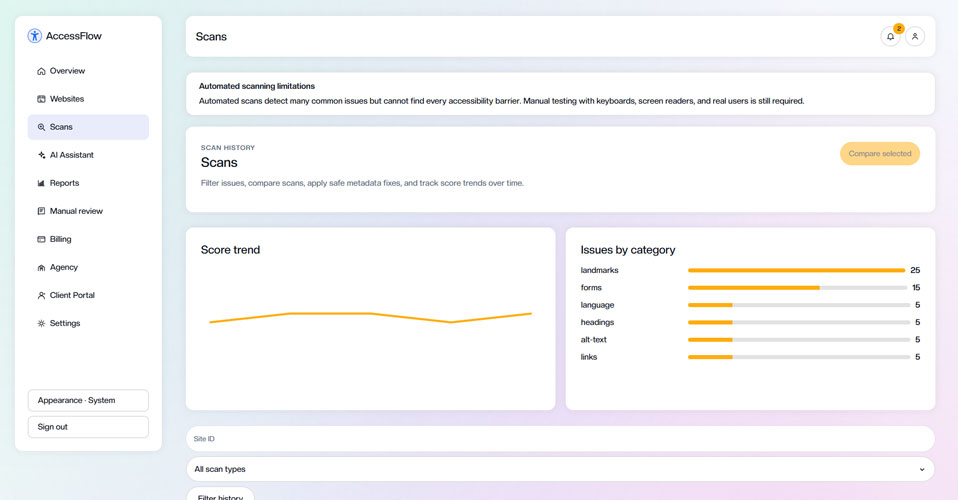
Smart Scanning
Automatically scan your website to identify potential accessibility issues across pages and content making it easier.
AI Powered Guidance
Get AI assisted guidance that helps you understand accessibility issues and how they can be addressed.
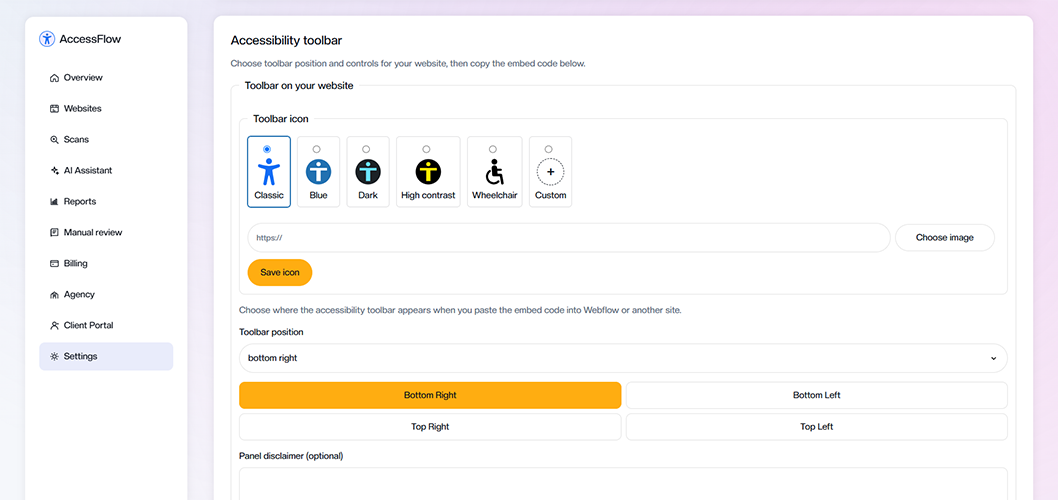
Accessibility Toolbar
Give visitors easy to use accessibility controls to personalize their browsing experience.
Detailed Reports
Turn scan results into clear, actionable reports so you can understand issues and track accessibility improvements.
WCAG 2.2 Insights
Identify potential issues based on relevant WCAG 2.2 guidelines and better understand where your website needs attention.
Cross Platform Support
Use ScrollAccess across WordPress, Webflow, Shopify, Wix, custom HTML, and other popular website platforms.
Start improving your website’s accessibility with a simple workflow from connecting your site and identifying issues to making improvements and tracking progress.
STEP ONE
Connect and scan
Connect a supported website and run an accessibility scan to identify potential issues.
STEP TWO
Understand the findings
Review issue details, severity, relevant criteria, and AI guided explanations.
STEP THREE
Make and verify improvements
Use the guidance to make changes to your website, then review the results. Some issues require manual testing.
STEP FOUR
Track your progress
Revisit scan results and reports to monitor changes and organize ongoing accessibility work.
See where your team spends time
Automated website accessibility scanner
Detect accessibility issues. understand what matters. improve with confidence.
Scan your website with ScrollAccess to identify potential accessibility issues based on WCAG 2.2 criteria. Review findings by severity, understand where issues occur, and get actionable guidance to help prioritize accessibility improvements.
Give every visitor more control over their experience
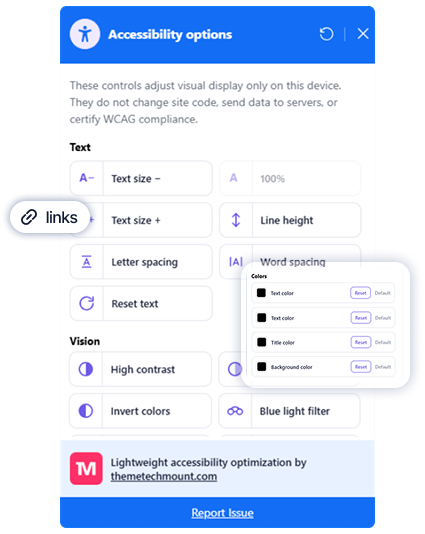
Add a customizable accessibility toolbar to your website that gives visitors easy to use controls to adjust how they view, read, and navigate your content all without changing your website platform.
Turn complex accessibility findings into clearer, actionable guidance. ScrollAccess uses AI to explain detected issues, provide practical improvement suggestions, and help you understand what needs attention and why.
Manage accessibility across multiple websites from one place. ScrollAccess helps agencies and teams organize websites, collaborate on accessibility work, monitor progress, and create reports for clients and stakeholders.
Manage multiple websites
Keep accessibility scans, findings, and website activity organized across multiple client or business websites.
Team collaboration
Bring your team together to review accessibility findings and coordinate ongoing improvement work.
Client ready reports
Create clear accessibility reports to share findings, progress, and website accessibility insights with clients .
Track accessibility progress
Monitor scan results and accessibility trends over time to understand how websites are improving.
Save time with automation
Use scheduled accessibility scans and reporting workflows to reduce repetitive work and stay on top of website changes.
Support accessibility across global standards
ScrollAccess helps you identify and understand accessibility issues using WCAG based insights, giving your team practical tools to support ongoing accessibility efforts across widely recognized standards and regulations.
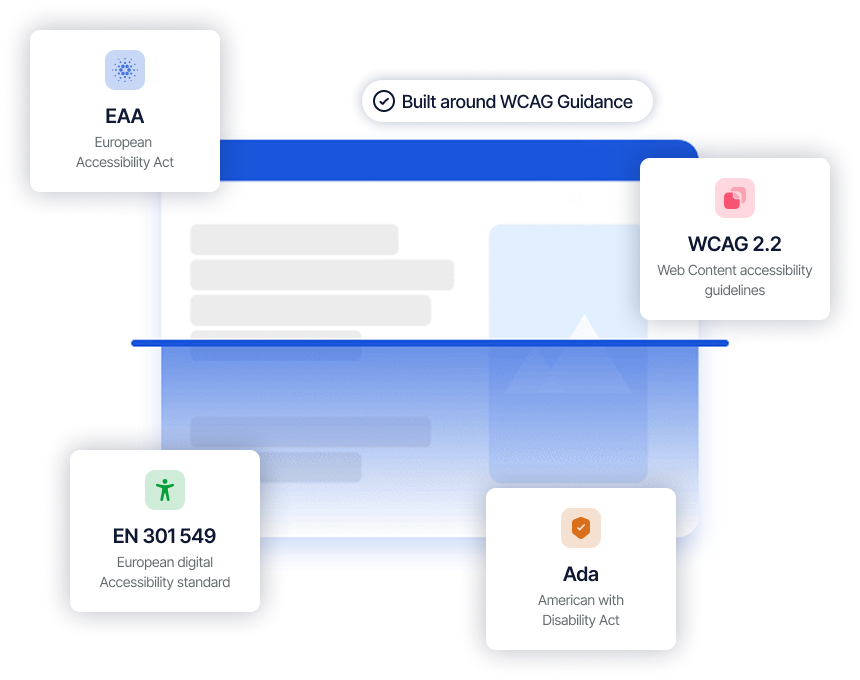
SUPPORTED STANDARDS & REGULATIONS
EAA
European requirements for accessible products and services.
WCAG 2.2
Guidelines for creating accessible digital experiences.
EN 301 549
European standard for accessible ICT products and services.
ADA
U.S. requirements for digital accessibility and inclusion.
ScrollAccess helps you identify and understand accessibility issues using WCAG based insights, giving your team practical tools to support ongoing accessibility efforts across widely recognized standards and regulations.
Use automated scanning, AI powered guidance, reporting, and accessibility tools to find potential barriers, prioritize improvements, and build a more accessible website experience.
Choose the ScrollAccess plan that fits your website, team, or agency. Get the accessibility scanning, AI powered guidance, reporting, and management tools you need with flexible monthly or yearly billing.
ScrollAccess is a website accessibility platform that brings automated accessibility scanning, AI-powered guidance, a customizable accessibility toolbar, reporting, and ongoing accessibility management into one place. It helps you identify potential accessibility issues, understand what needs attention, make informed improvements, and track progress over time.
ScrollAccess scans your website for potential accessibility issues and presents the findings in an organized dashboard. You can review detected issues, severity levels, WCAG-related criteria, and guidance to help prioritize accessibility improvements.
No. ScrollAccess helps identify potential issues and provides AI-powered explanations and improvement suggestions, but it does not automatically modify your website to fix every issue. Changes should be reviewed and applied appropriately, and some accessibility requirements require manual testing.
The customizable accessibility toolbar gives website visitors controls to adjust aspects of their browsing experience. You can configure the toolbar's appearance and position and provide accessibility controls that help visitors interact with your content according to their preferences.
ScrollAccess uses AI to make accessibility findings easier to understand. The AI Assistant can provide clear issue explanations, practical improvement suggestions, contextual guidance, and AI-powered alt text suggestions to help you make more informed accessibility improvements.